Modryos.

What Modryos makes, and how.

Modryos is a desktop studio for making Minecraft Java Edition mods without writing code. These are pictures from the studio and the game. Almost every capability is played in the game on NeoForge and Fabric, on each of the five versions, by an automated test run. The last full run passed 17,570 of 17,577 checks (99.96%); one check is still open.

Modryos is not released yet. 1.0.0 is coming soon.

Start

Pick what to make.

Press New and choose a kind, in seven groups: blocks and items, crafting and loot, machines and networks, mobs and models, logic and code, the world, screens and guides. Each kind says what it is in a line, and opens with its settings beside it, in plain words.
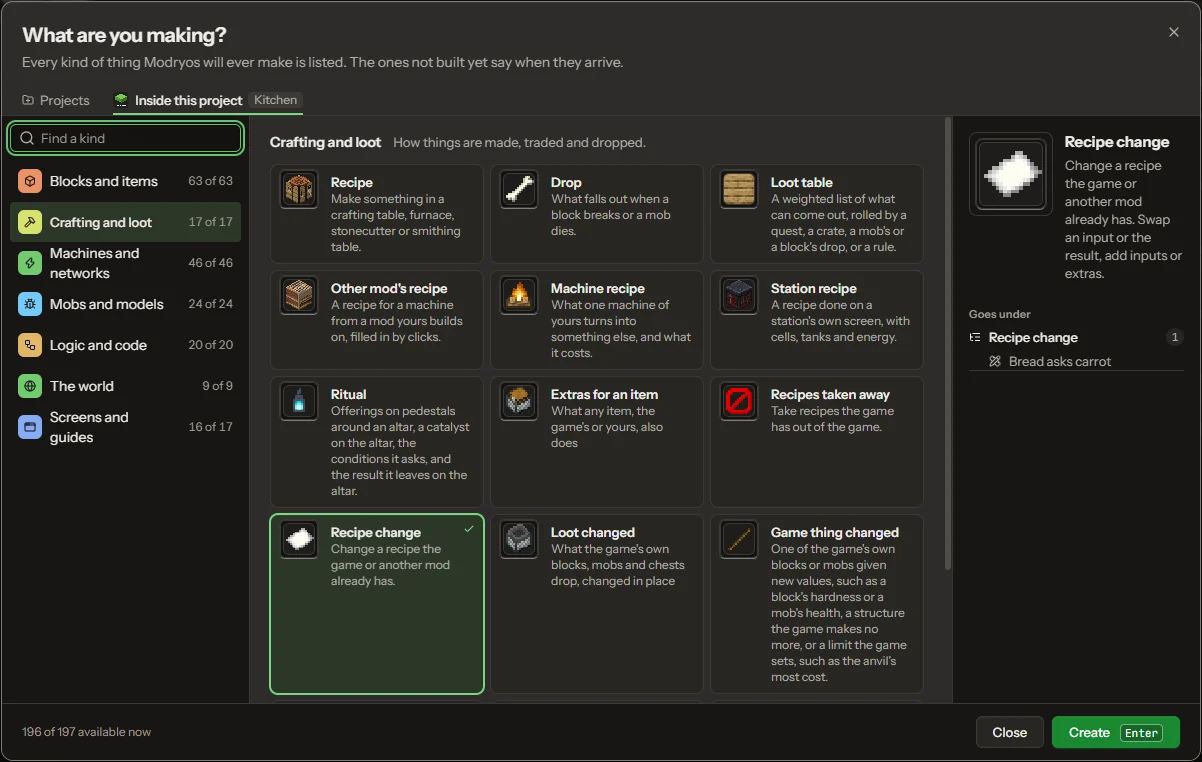
The New window: What are you making? Kinds listed in seven groups, here crafting and loot
The New window
Models, textures and animation

Shape it, paint it, make it move.

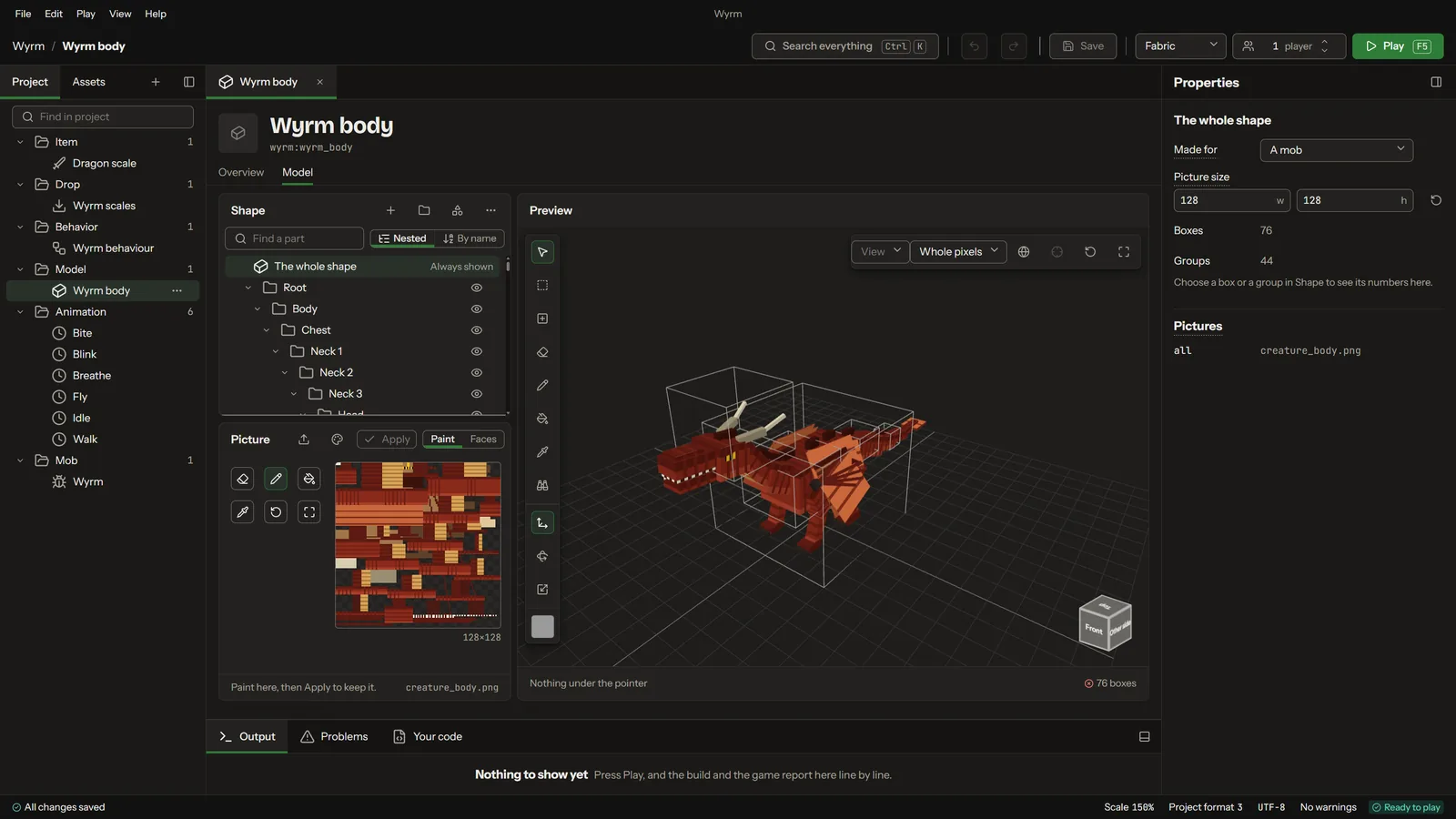
A model editor with a live 3D preview builds the shape of a block, an item or a creature. A pixel painter paints its textures, and a timeline animates it. The same model and clips play in the game, and they live in the same project as the rest of the mod.

A wyrm's body in the model editor, with its parts listed beside the 3D preview
Model editor
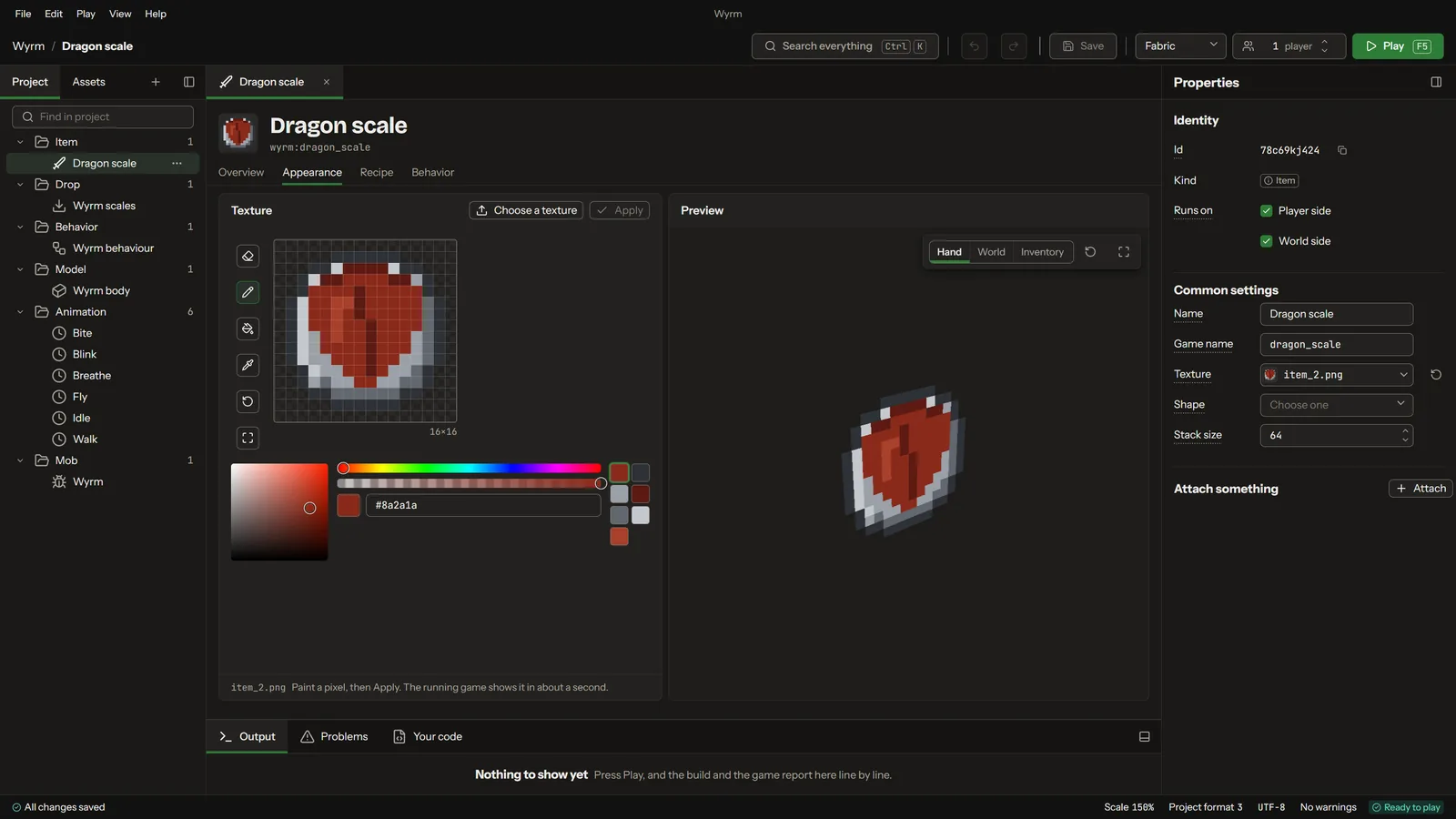
Painting a dragon scale's texture in the pixel painter
Pixel painter
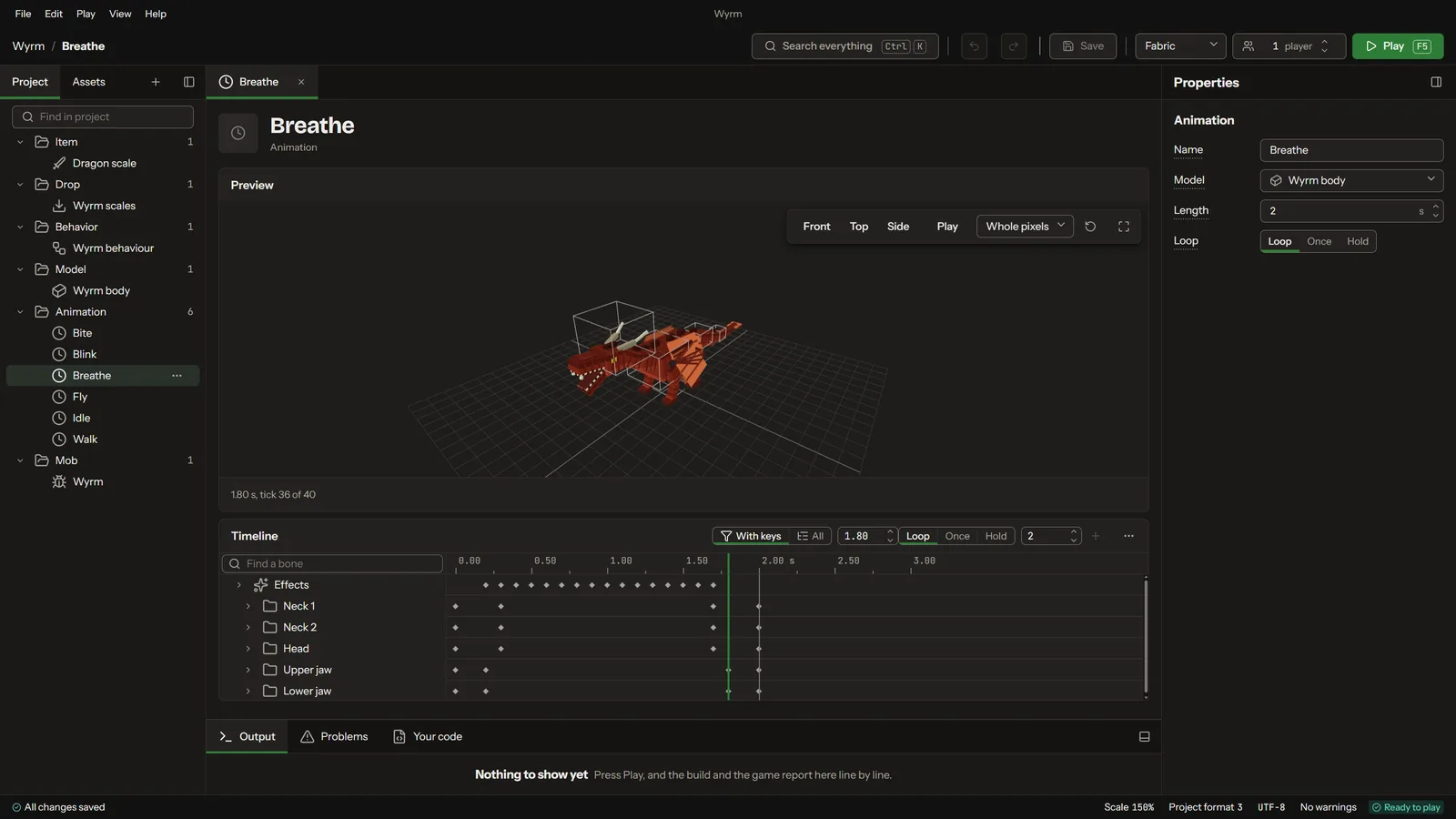
The animation timeline with a creature's clips
Animation timeline
Creatures

Creatures with a mind of their own.

Model a creature, animate it, and give it behaviours from a list: how it moves, what it does and when. Creatures can be tamed and ridden. Small animals and large beasts are made the same way.

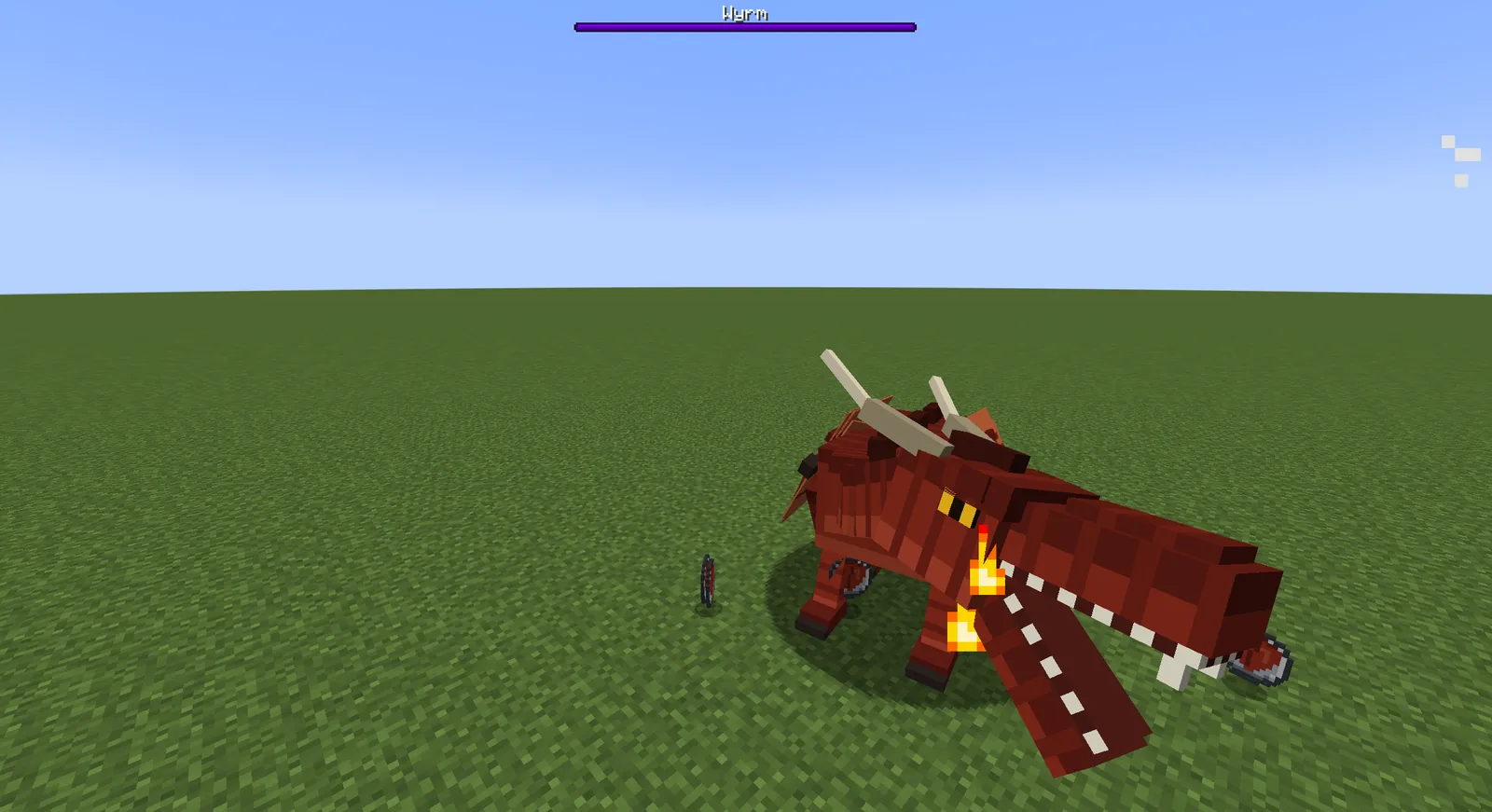
A wyrm breathing fire in the game
A wyrm, in the game
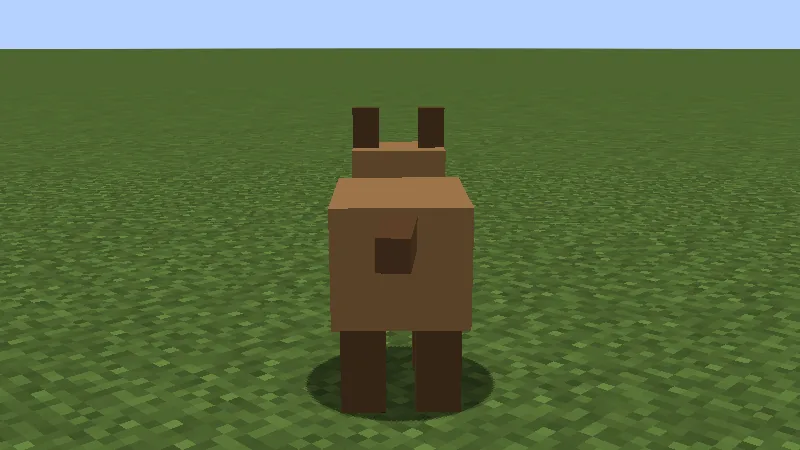
A small animal standing in a field in the game
A small animal, in the game
Blocks, items and armour

Tools, weapons and armour with their own feel.

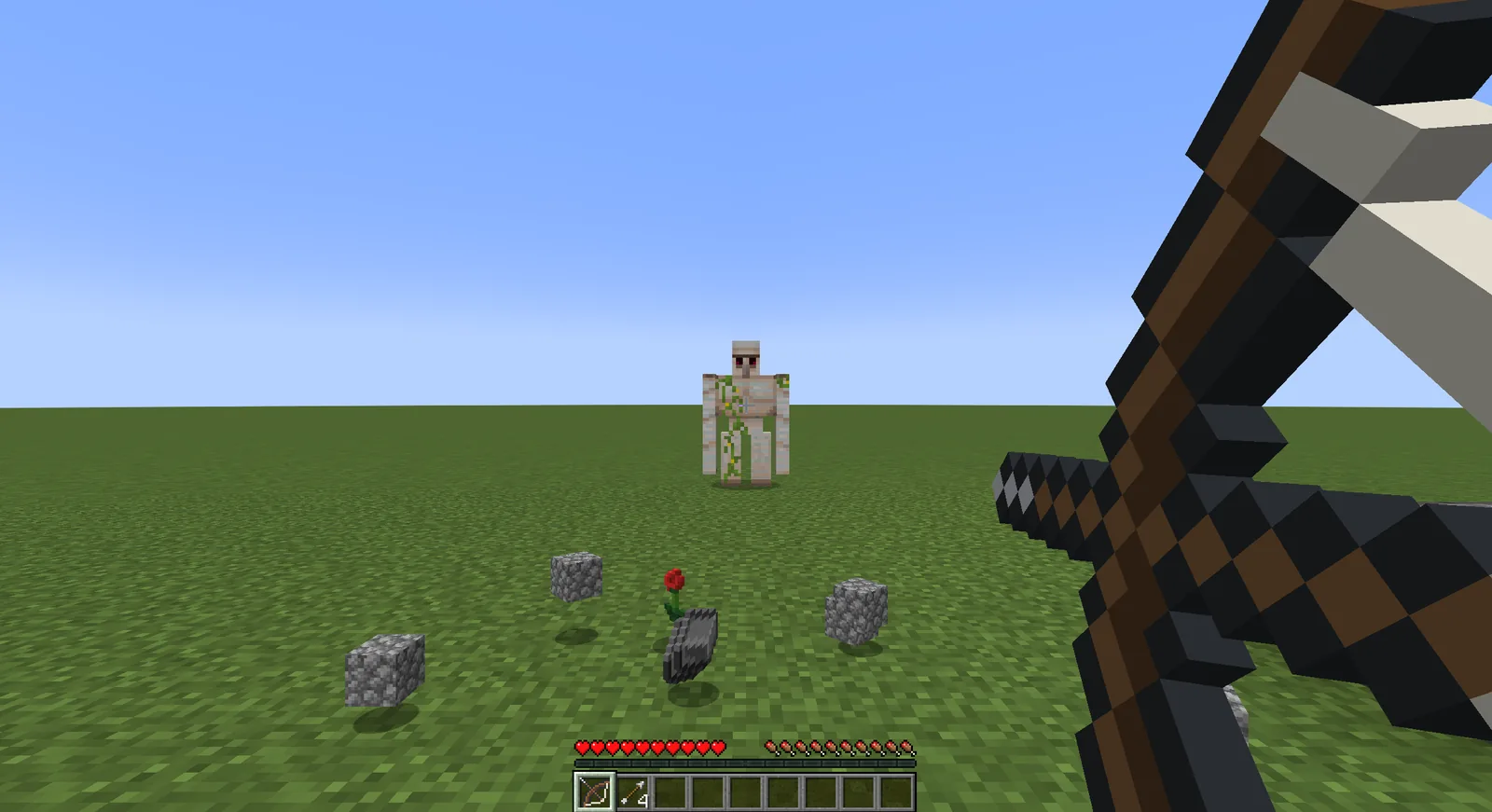
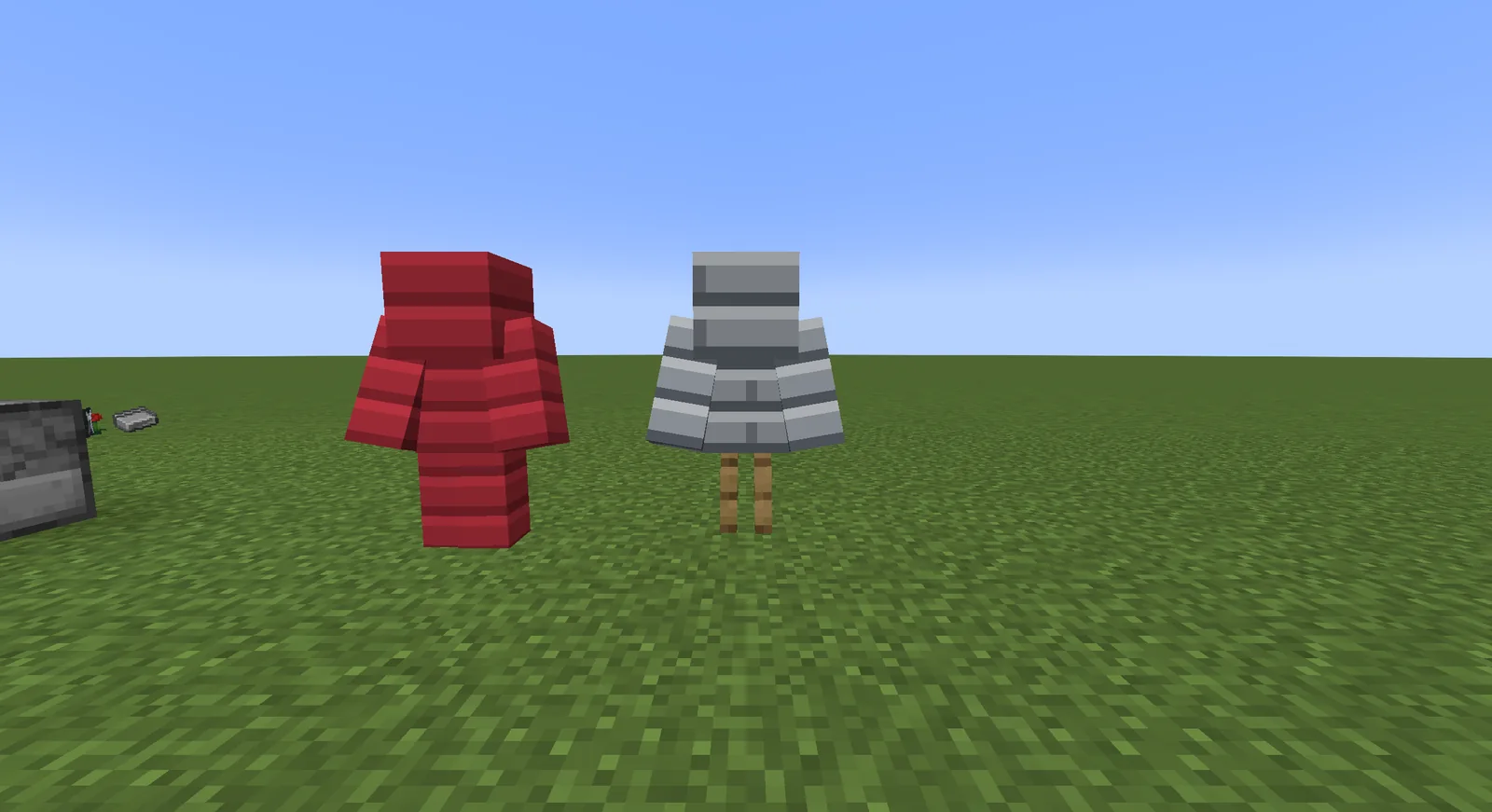
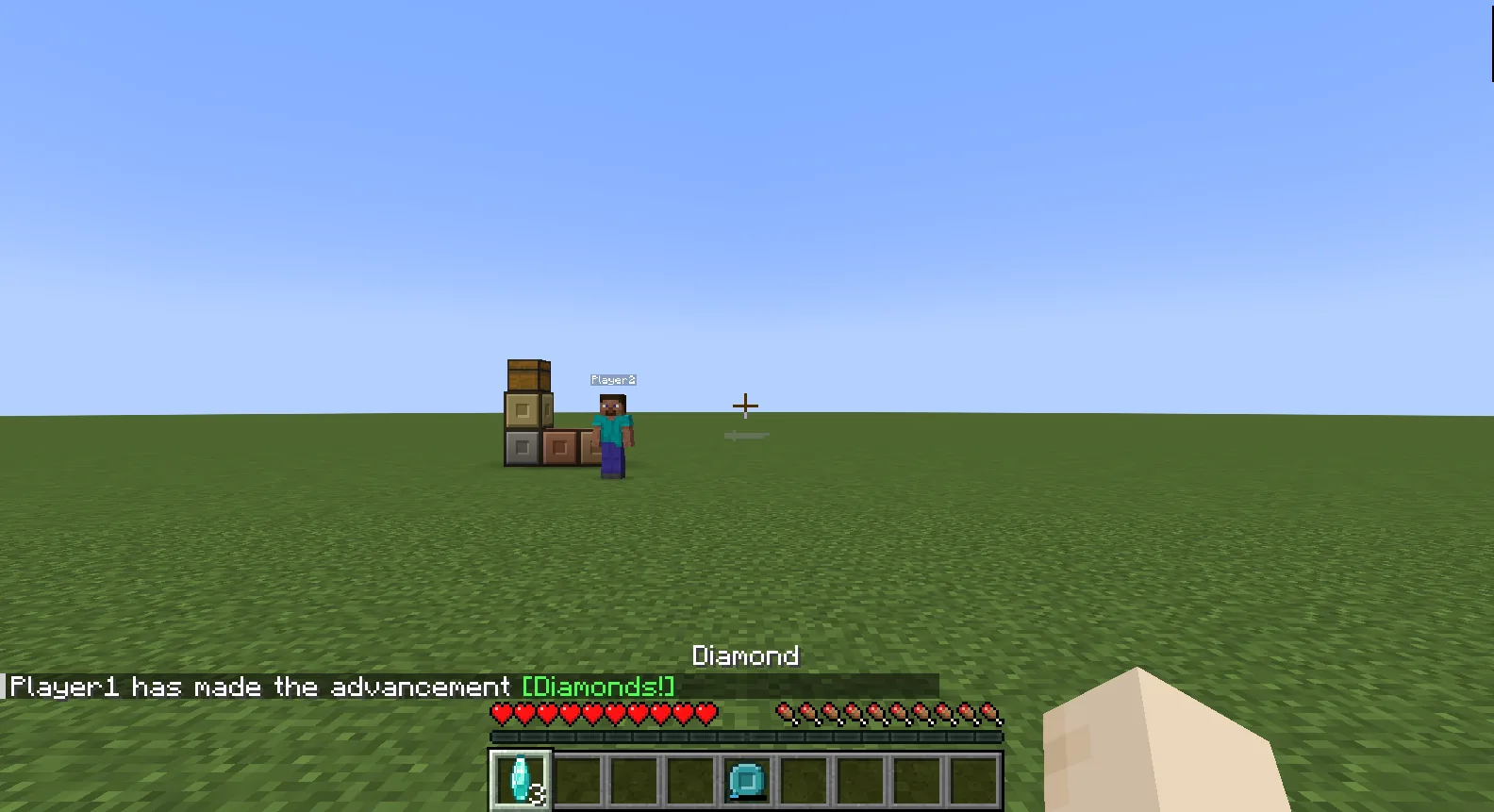
Blocks, items, tools, weapons, armour, food and fuel. Bows and crossbows with their own draw, armour sets that show on the player, and items that hold energy with a charge bar in the hotbar.

A long bow drawn back in the game
A bow, in the game
Two sets of armour on stands in the game
Armour
A magnet in the hotbar with its charge bar
A charged item
Recipes

Recipes that show in the recipe viewers.

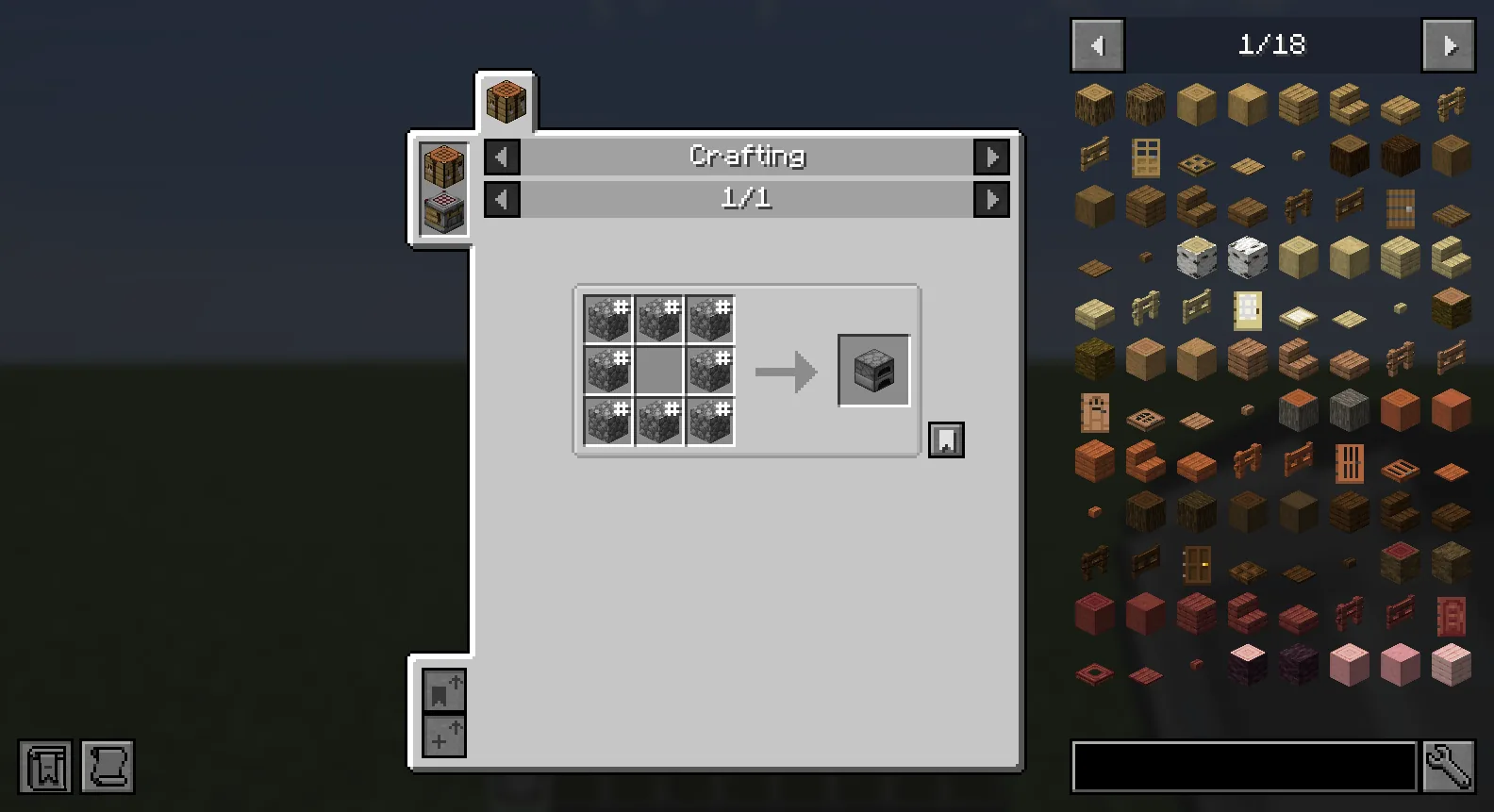
Crafting and the game's other recipe kinds, made by placing items in the grid. The recipes a mod adds show in JEI and the other recipe viewers.

A crafting recipe shown in JEI in the game
A recipe in JEI, in the game
Machines, energy and pipes

Machines, without writing their code.

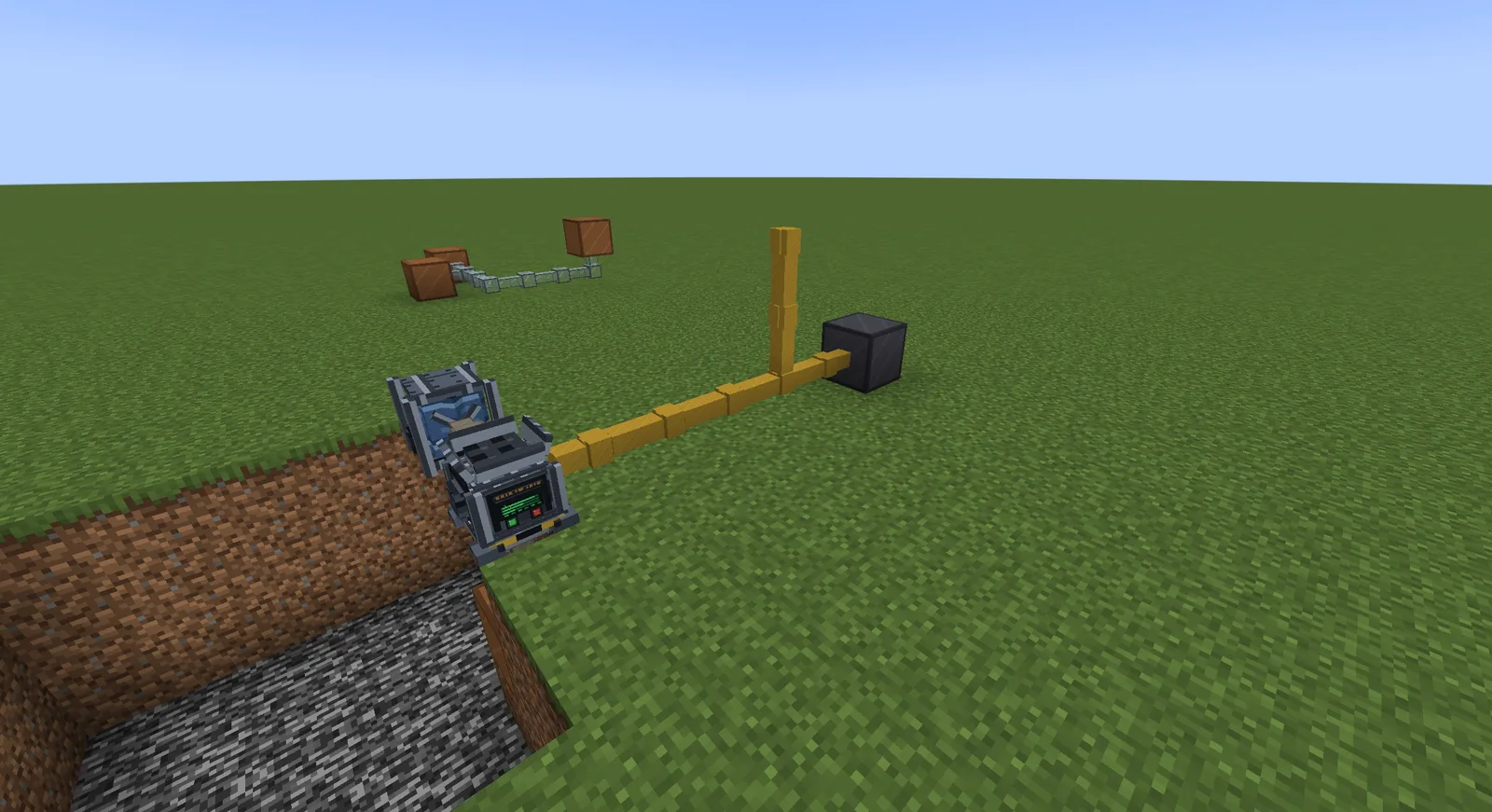
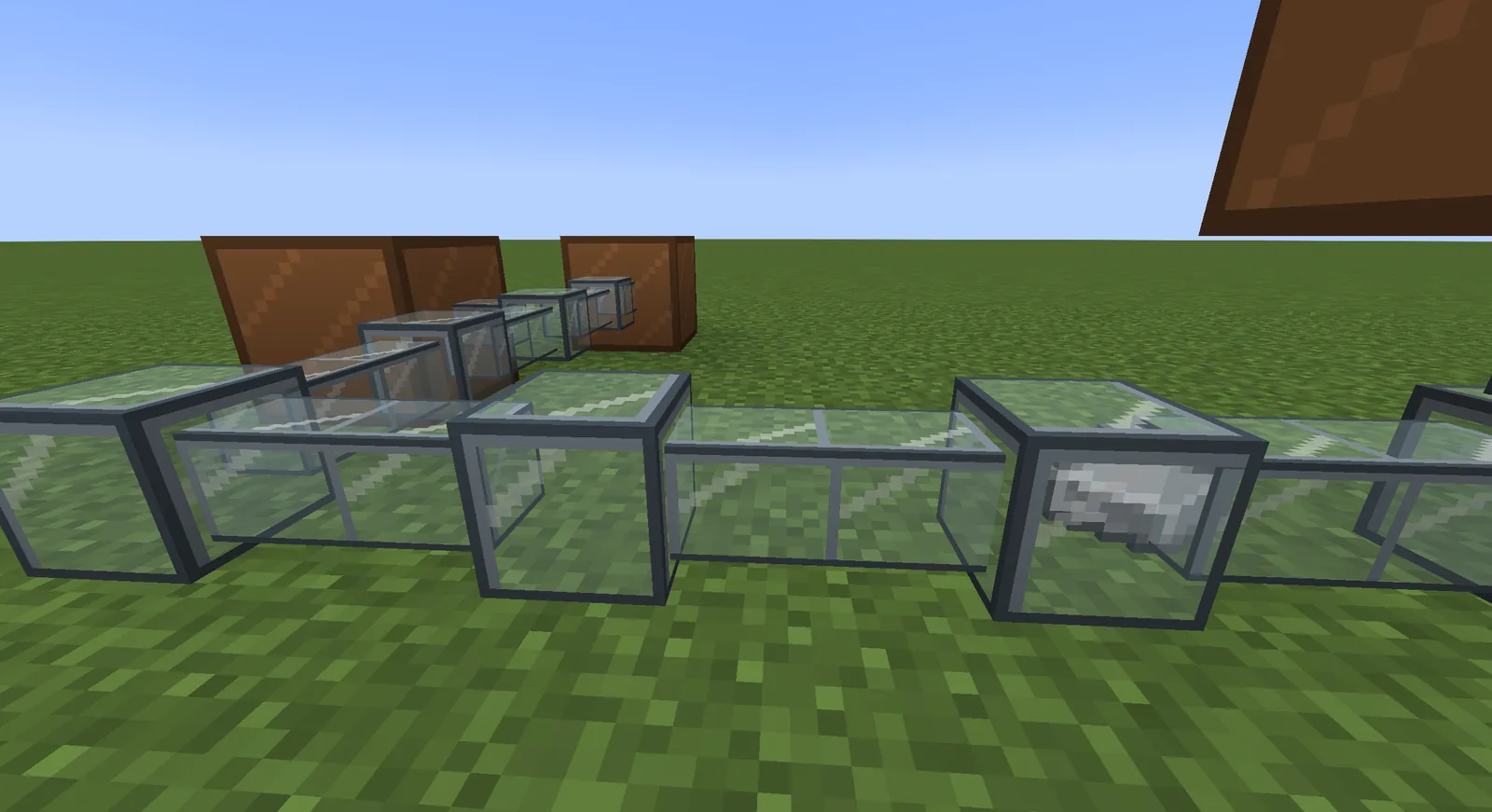
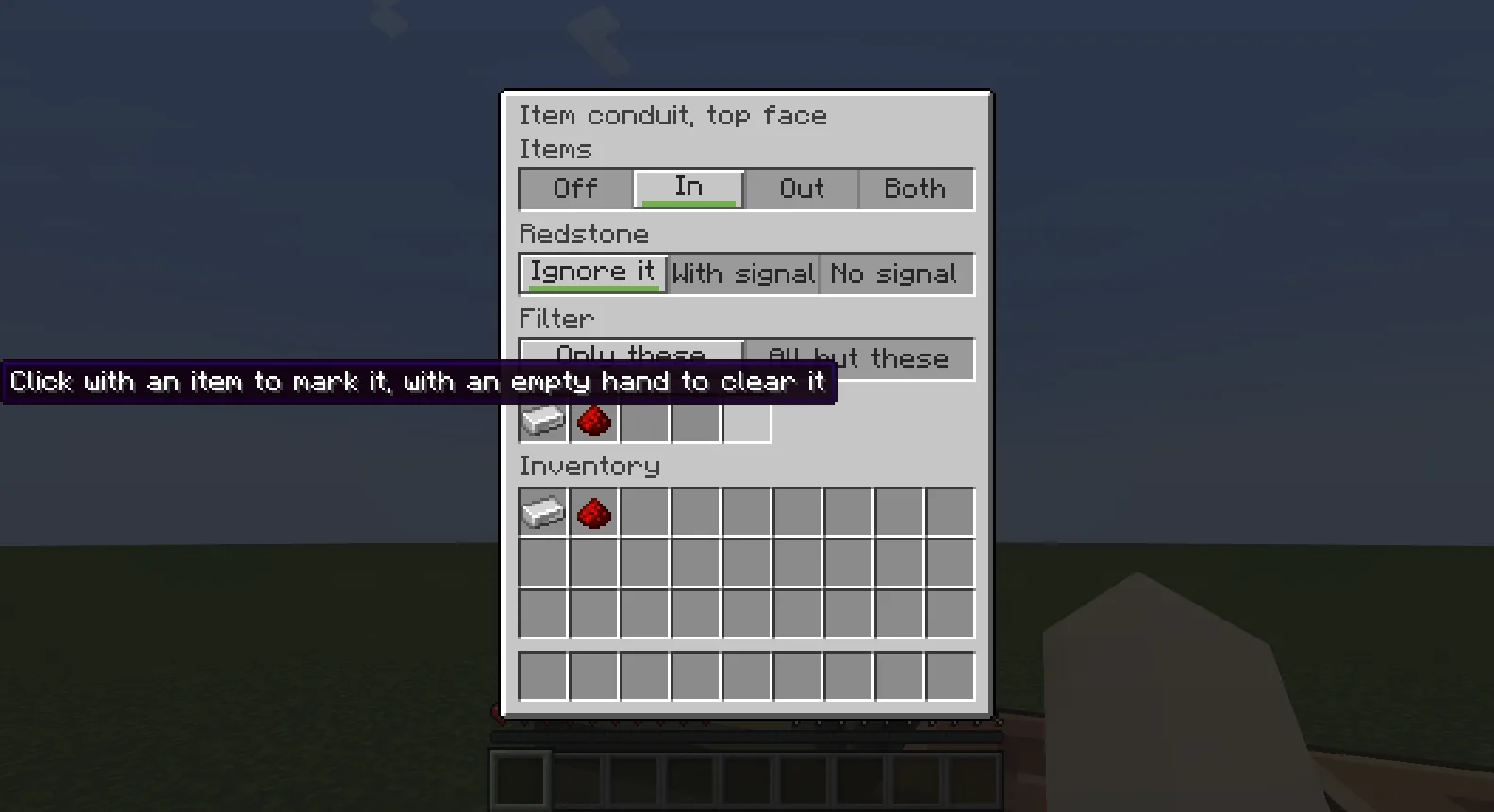
A machine is a block with inputs, outputs, energy and a screen. Energy cells store power and pass it along. Cables, fluid pipes and item ducts join machines, and each face of a block can take in, give out, follow redstone or filter what passes.

Machines joined by cables and a fluid pipe in the game
Machines joined by cables and a pipe
Items travelling through a glass duct in the game
An item duct
The settings of one face of an item conduit
Settings for one face
Screens and HUD

Build a screen here. Open it there.

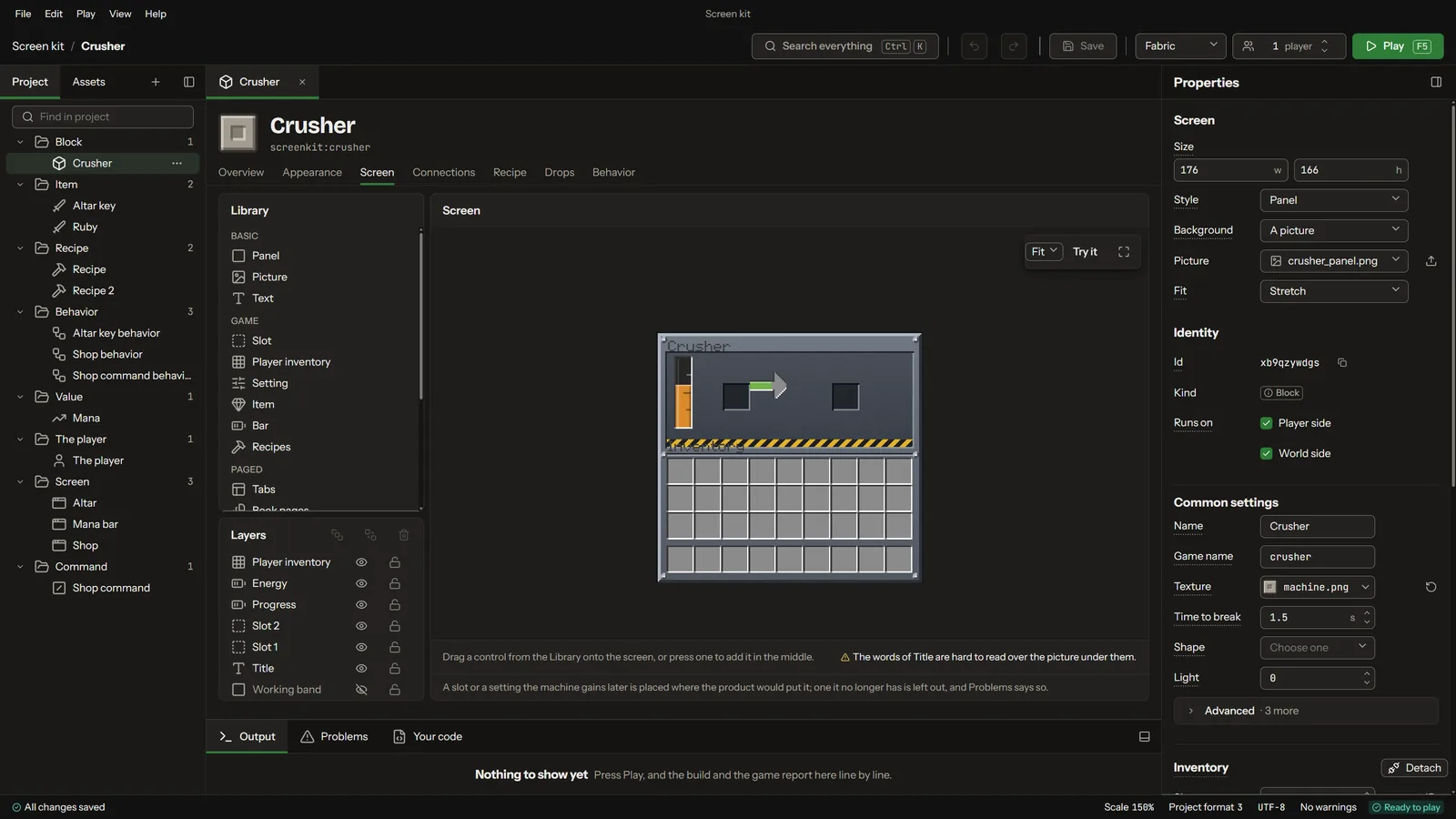
Machine screens, HUD bars, books and quest views. Drag controls onto the screen, give them a look, and tie them to what the mod knows: a tank's level, a player's mana, the foods they have tasted. What you lay out is what opens in the game.

A machine screen in the screen builder
Screen builder
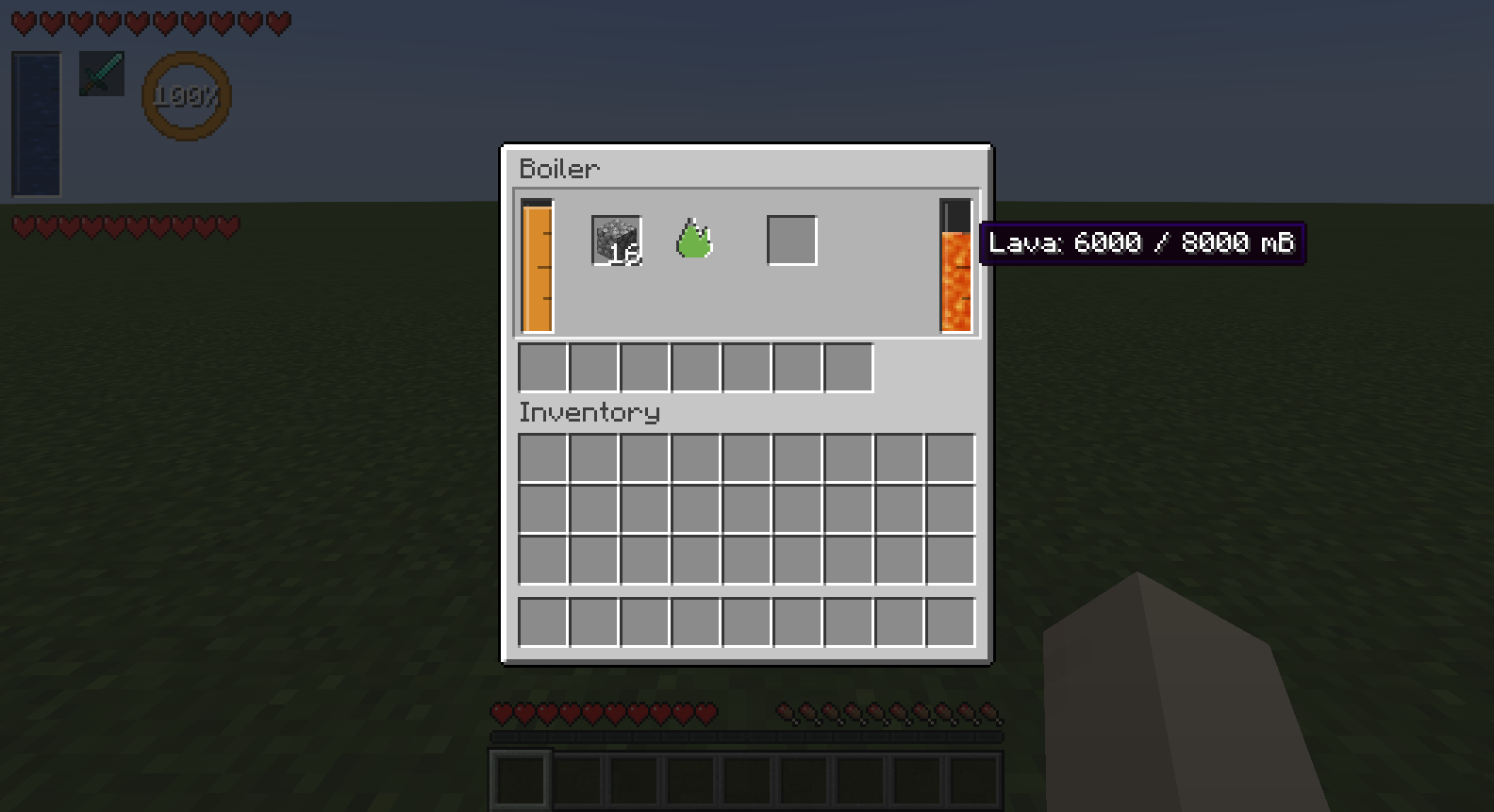
A tank of lava in a machine screen in the game
A machine screen, in the game
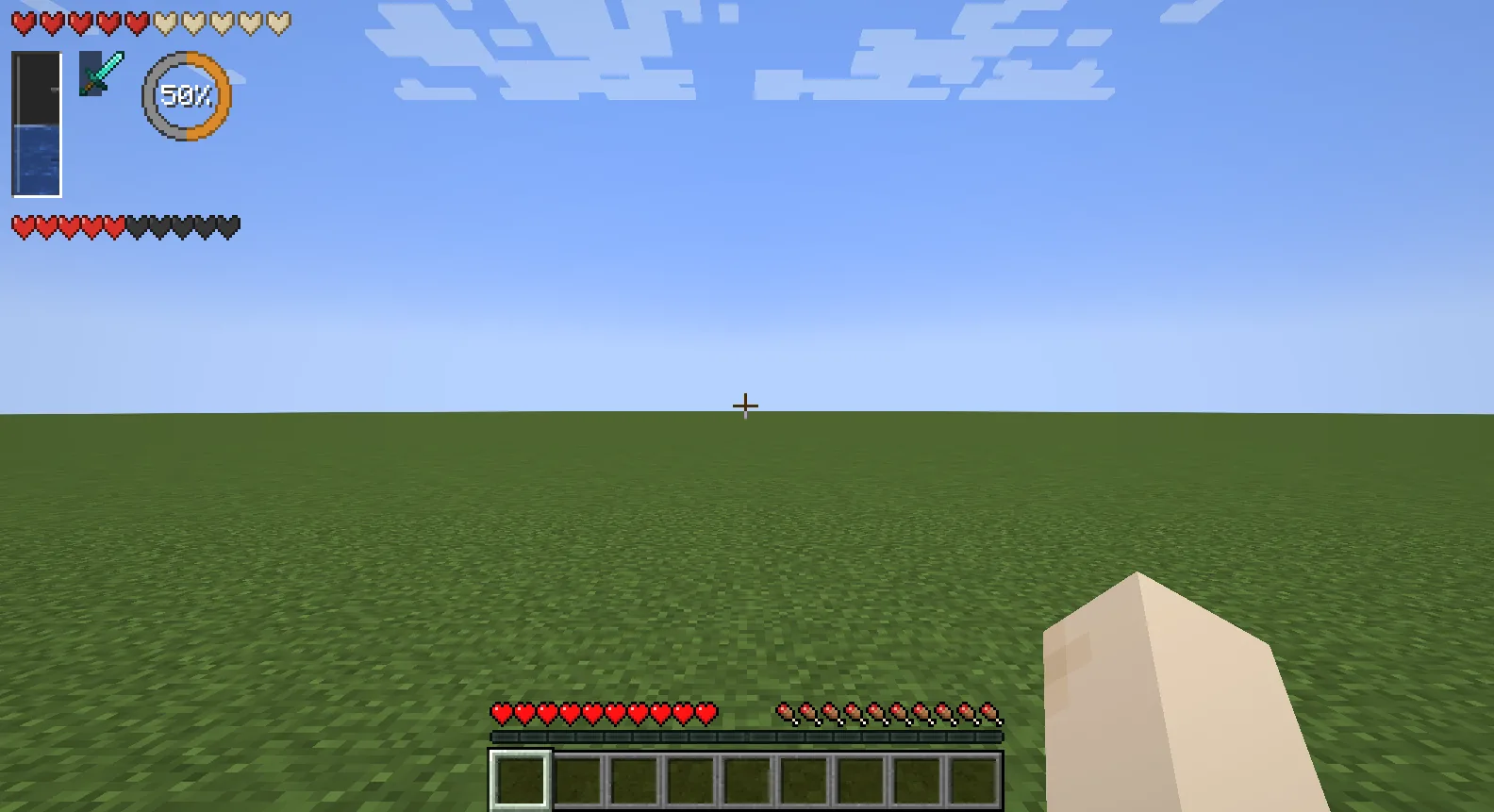
Gauges on the player's HUD in the game
HUD gauges, in the game
Quests, books and skill trees

Quests on a map, pages as you drew them.

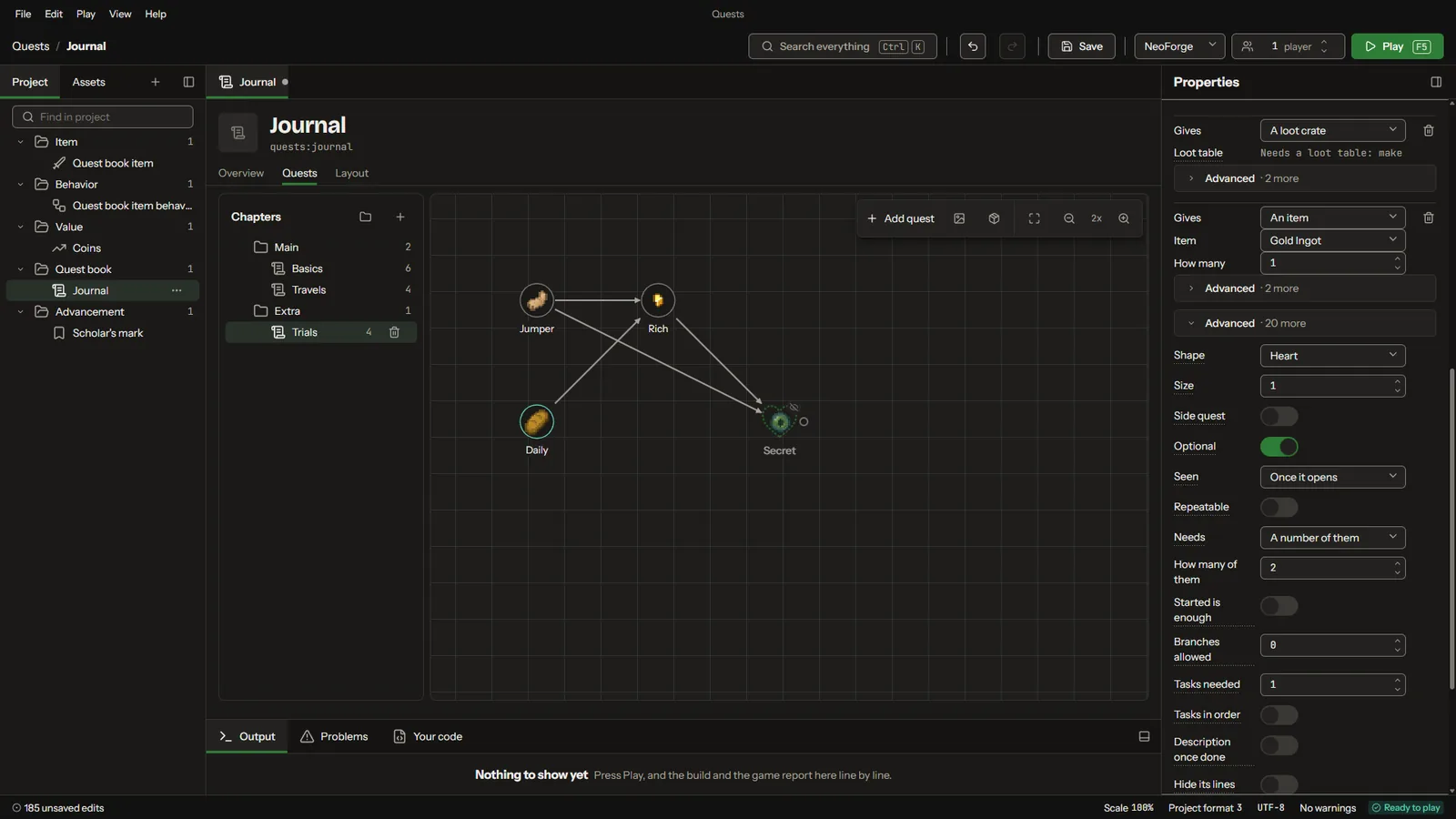
Chapters, quests and the lines between them, drawn on a map. Each quest's page is laid out in the screen builder and opens in the game as you drew it. Guide books, bestiaries with search, skill trees with points to spend, and altars with rituals on a ring of pedestals are made the same way.

A chapter's quests drawn on the quest map
Quest map
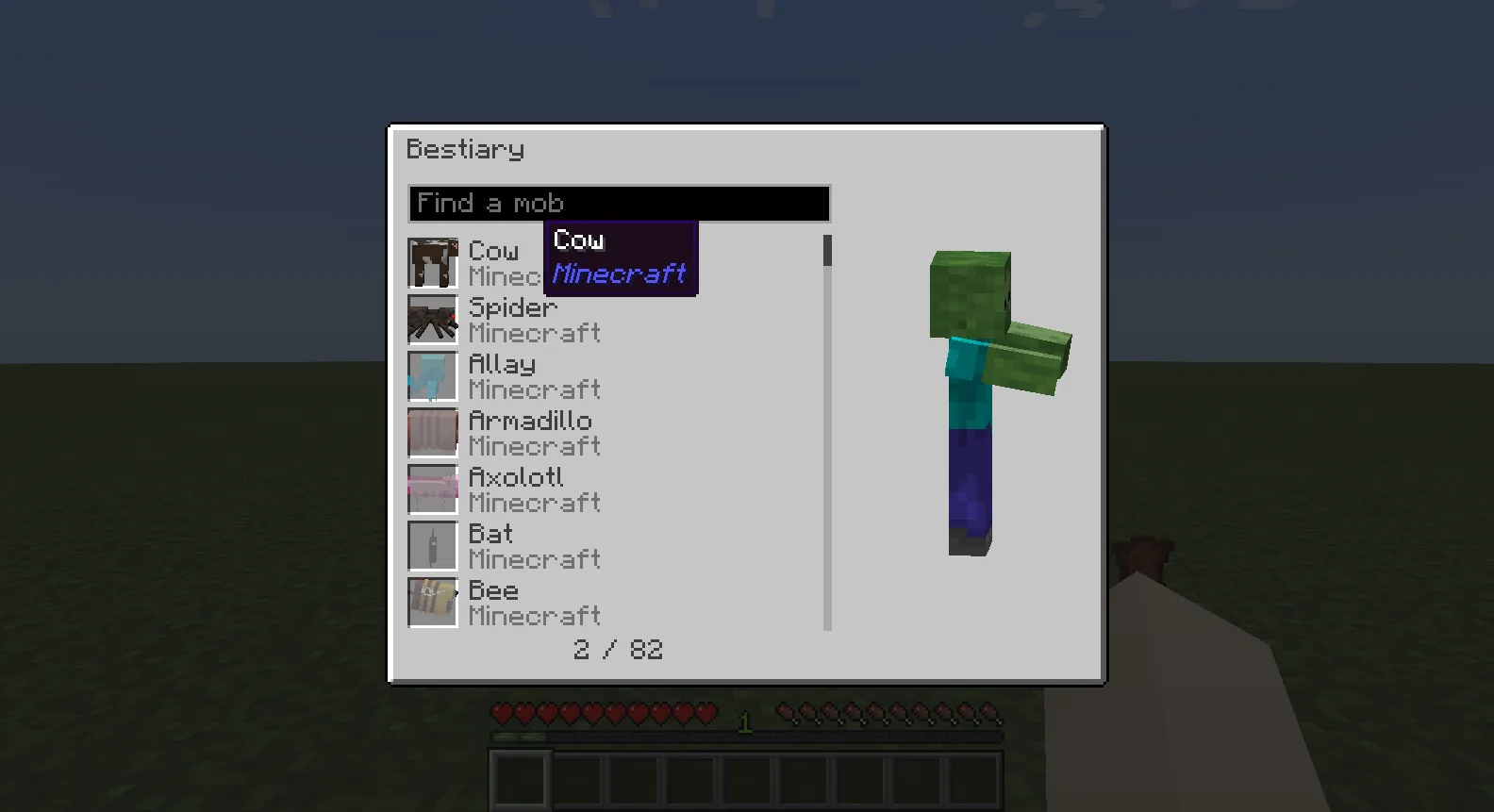
A bestiary listing mobs in the game
A bestiary, in the game
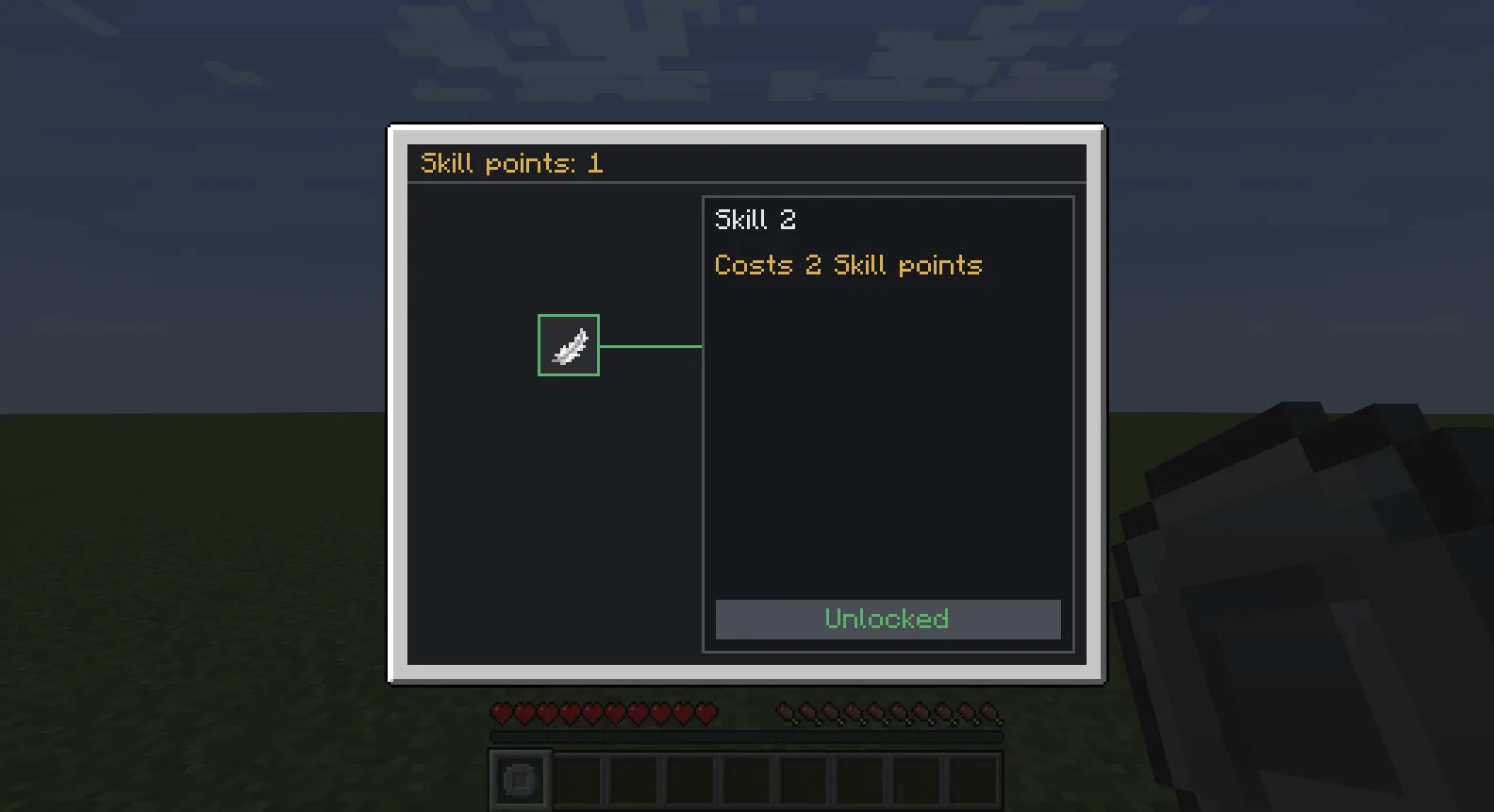
A skill tree with a skill bought in the game
A skill tree, in the game
Rules and Java

Say what happens. In sentences, or in Java.

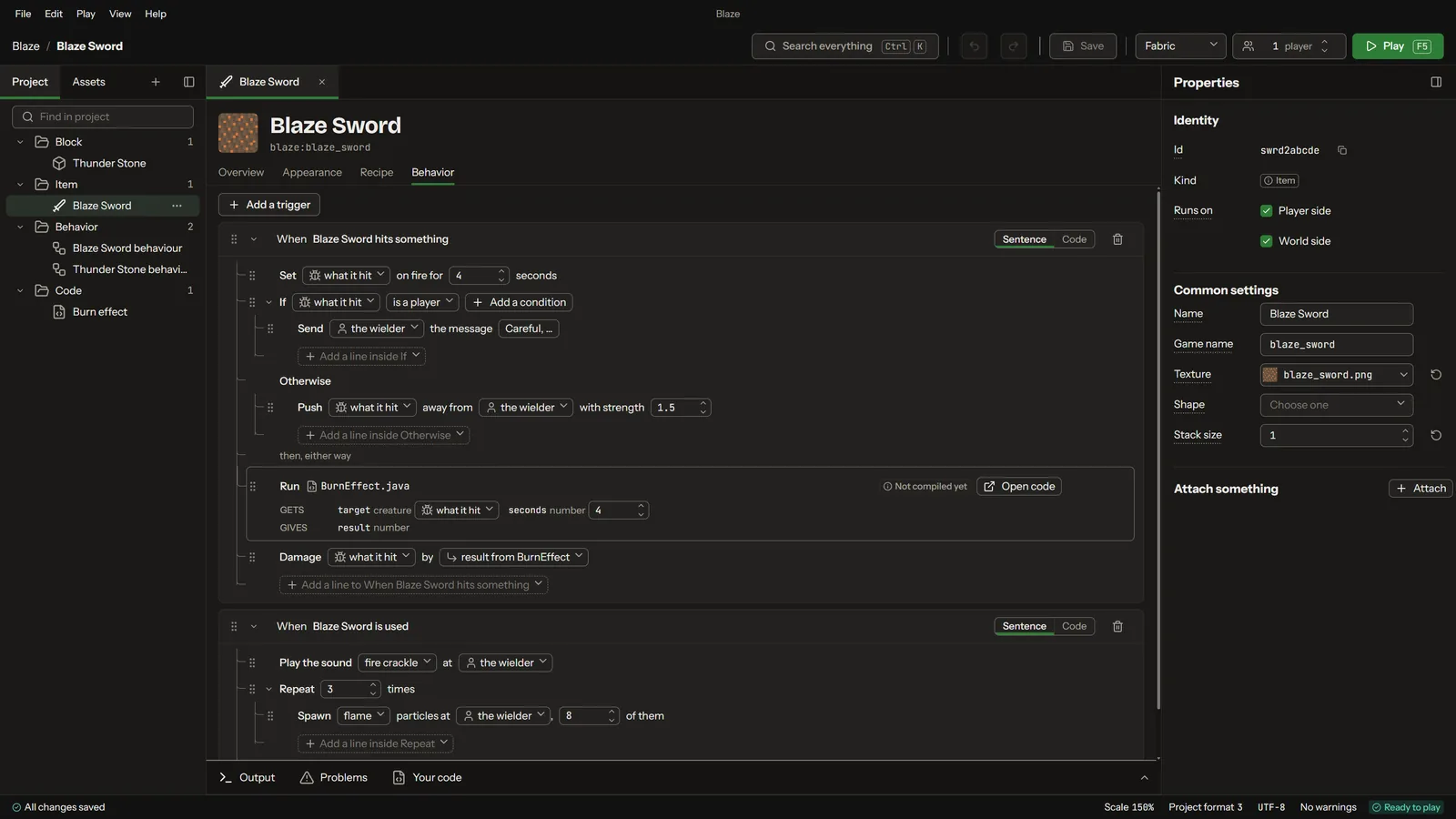
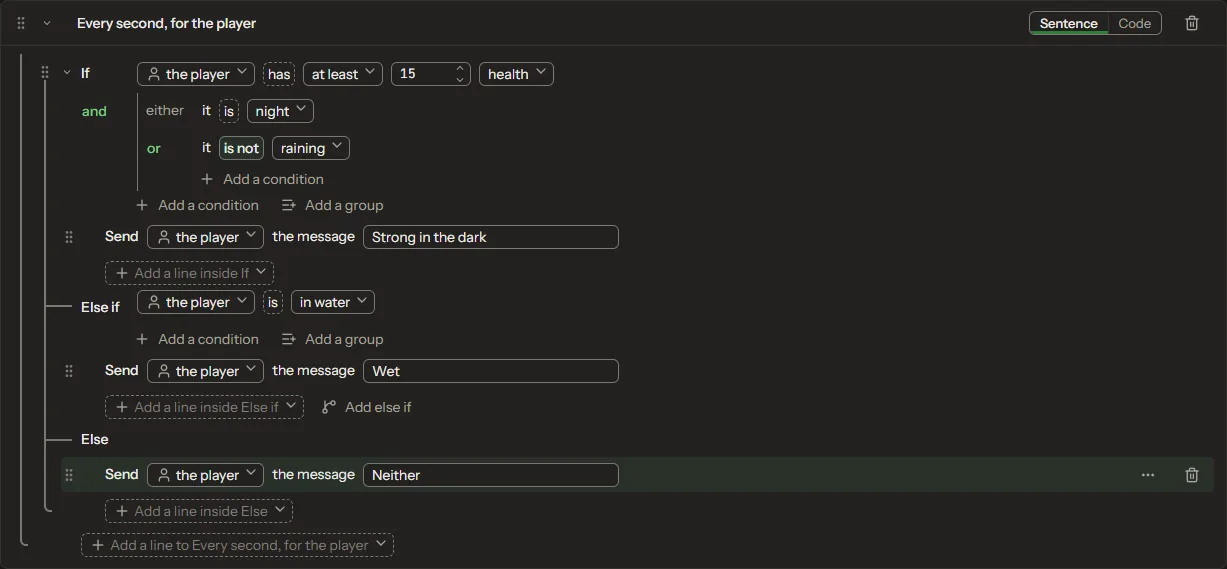
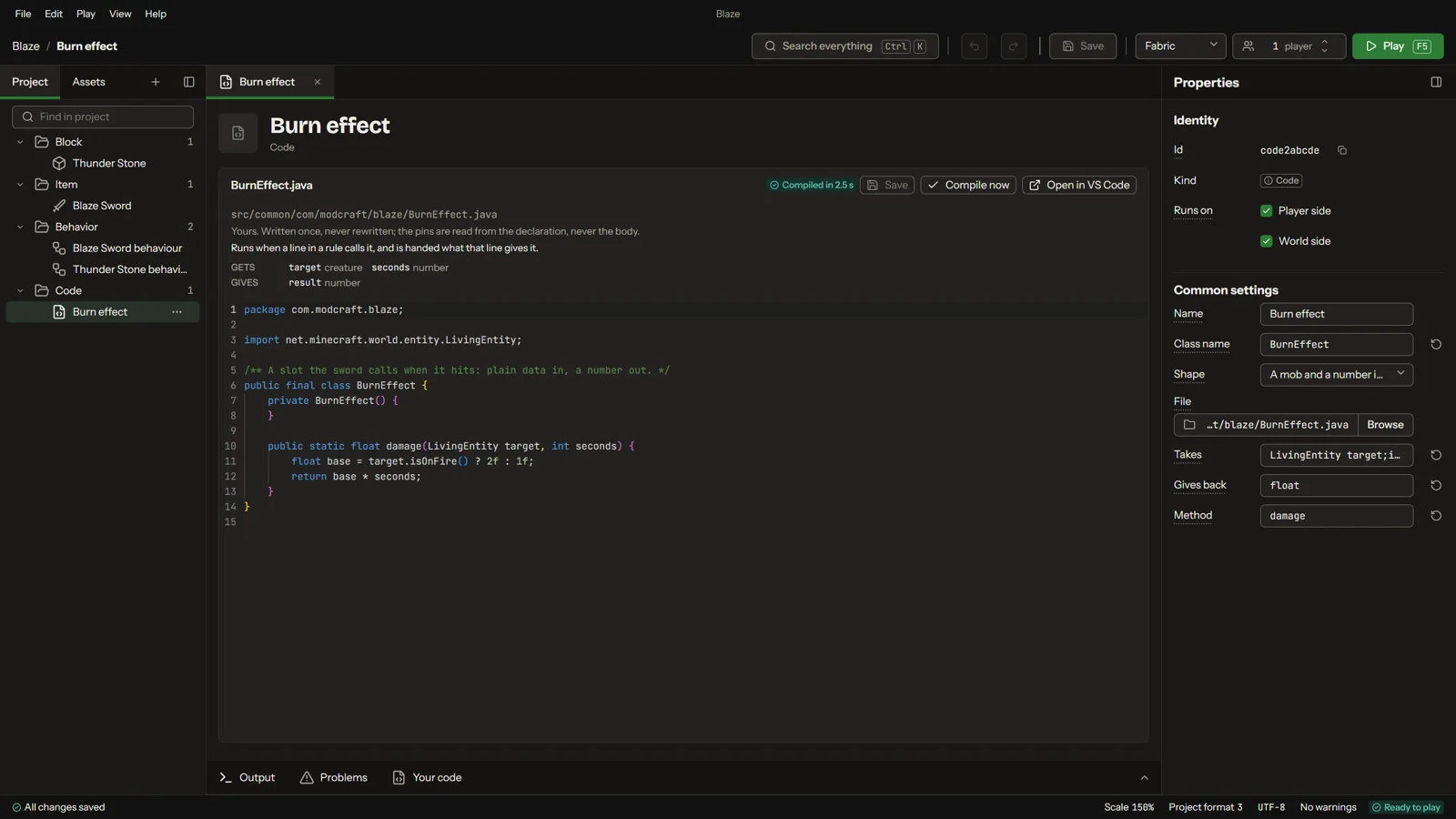
When the sword hits something, set it on fire, and if it was a player, warn whoever holds the sword. Rules are sentences you pick from, and conditions nest into groups with If, Else if and Else. Each sentence is Java underneath, the code view is one click away, and your own Java classes and mixins sit beside the rules in the same project.

A sword's rules written as sentences
Rules as sentences
Conditions grouped with If, Else if and Else
Conditions
A Java class of the project's own, open in the code editor
Your own Java class
Play and test

Press Play. The mod opens in the game.

Play starts Minecraft with your mod on the loader and version you pick, with one player or two on the same PC. Data such as recipes reaches a running game with a reload, and many code changes are swapped in while it runs, so most changes do not need a restart.

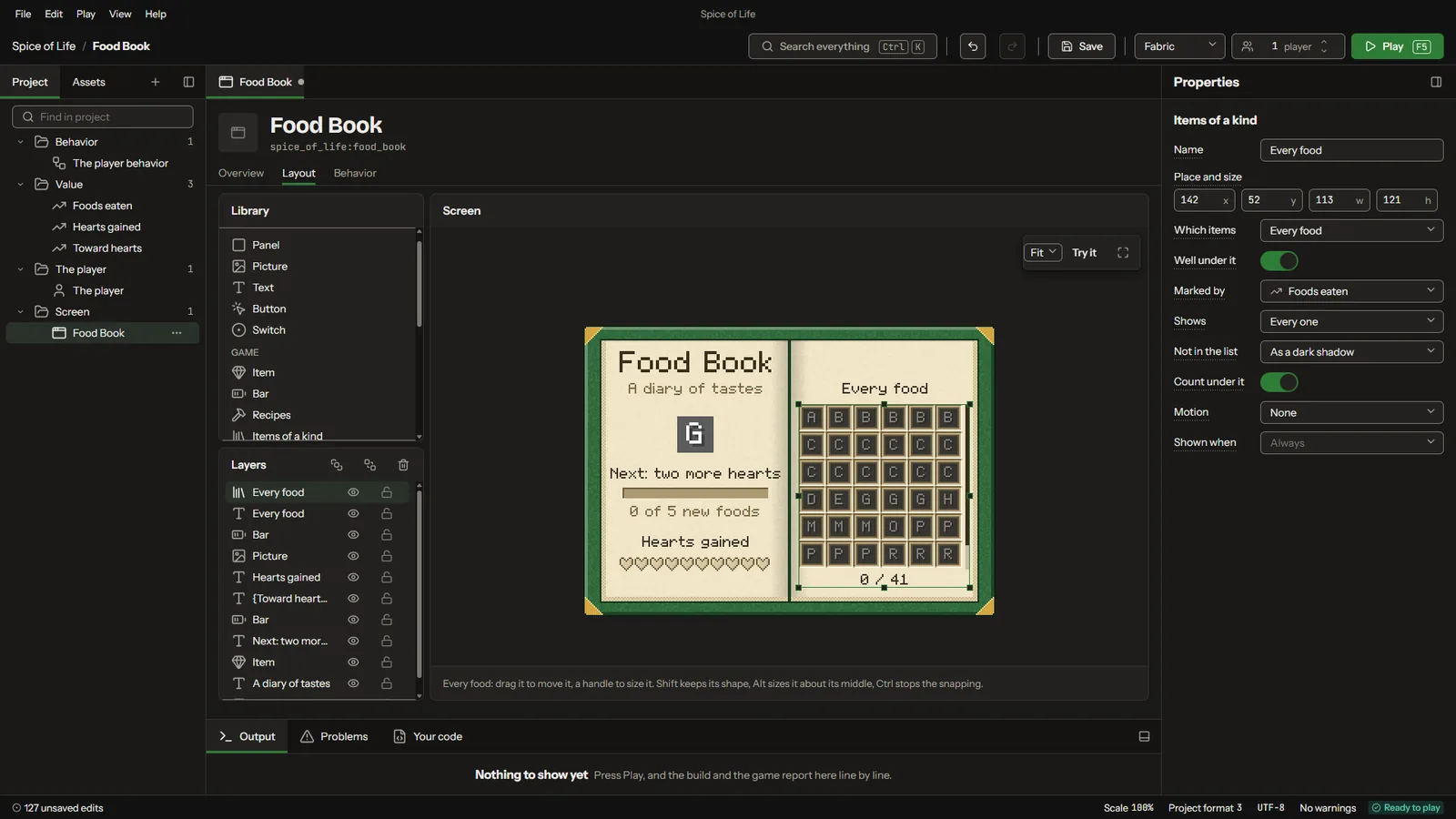
A food book laid out in the screen builder
In the studio
then Play
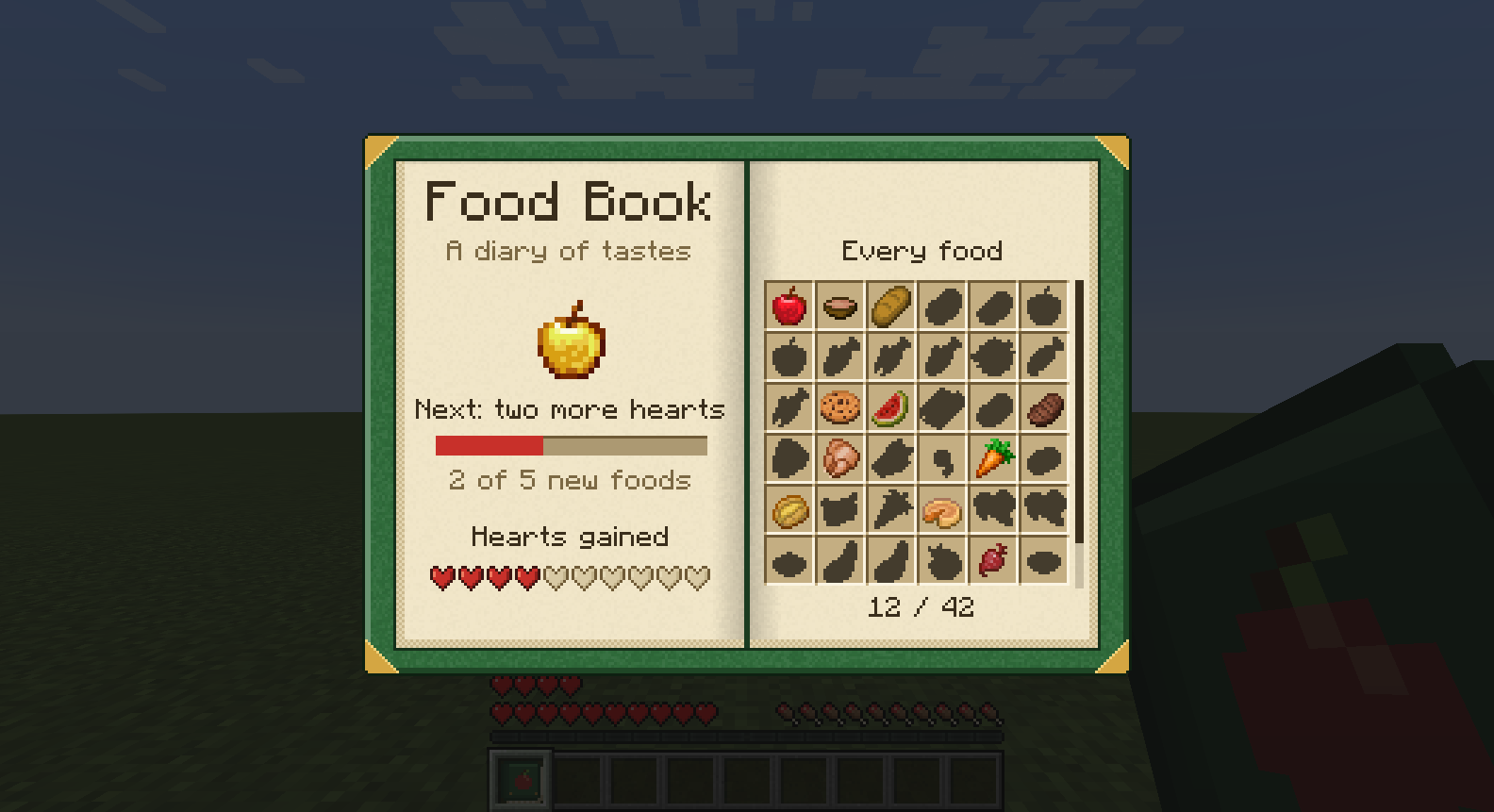
The same food book open in the game
In the game
Versions and loaders

One project, both loaders, five versions.

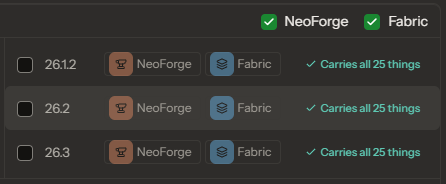
The same project makes the mod for NeoForge and for Fabric, on each of these Minecraft Java Edition versions. You choose where to Play, and Modryos builds the jar files for the versions and loaders you choose, ready to upload to CurseForge or Modrinth.

  • 1.21.1NeoForge and Fabric
  • 1.21.11NeoForge and Fabric
  • 26.1.2NeoForge and Fabric
  • 26.2NeoForge and Fabric
  • 26.3NeoForge and Fabric
The Cook window: 26.1.2, 26.2 and 26.3, each on NeoForge and Fabric, each carrying all 25 things of the project
Cook: one jar for each version and loader, from the same project
History

Every version of your project kept.

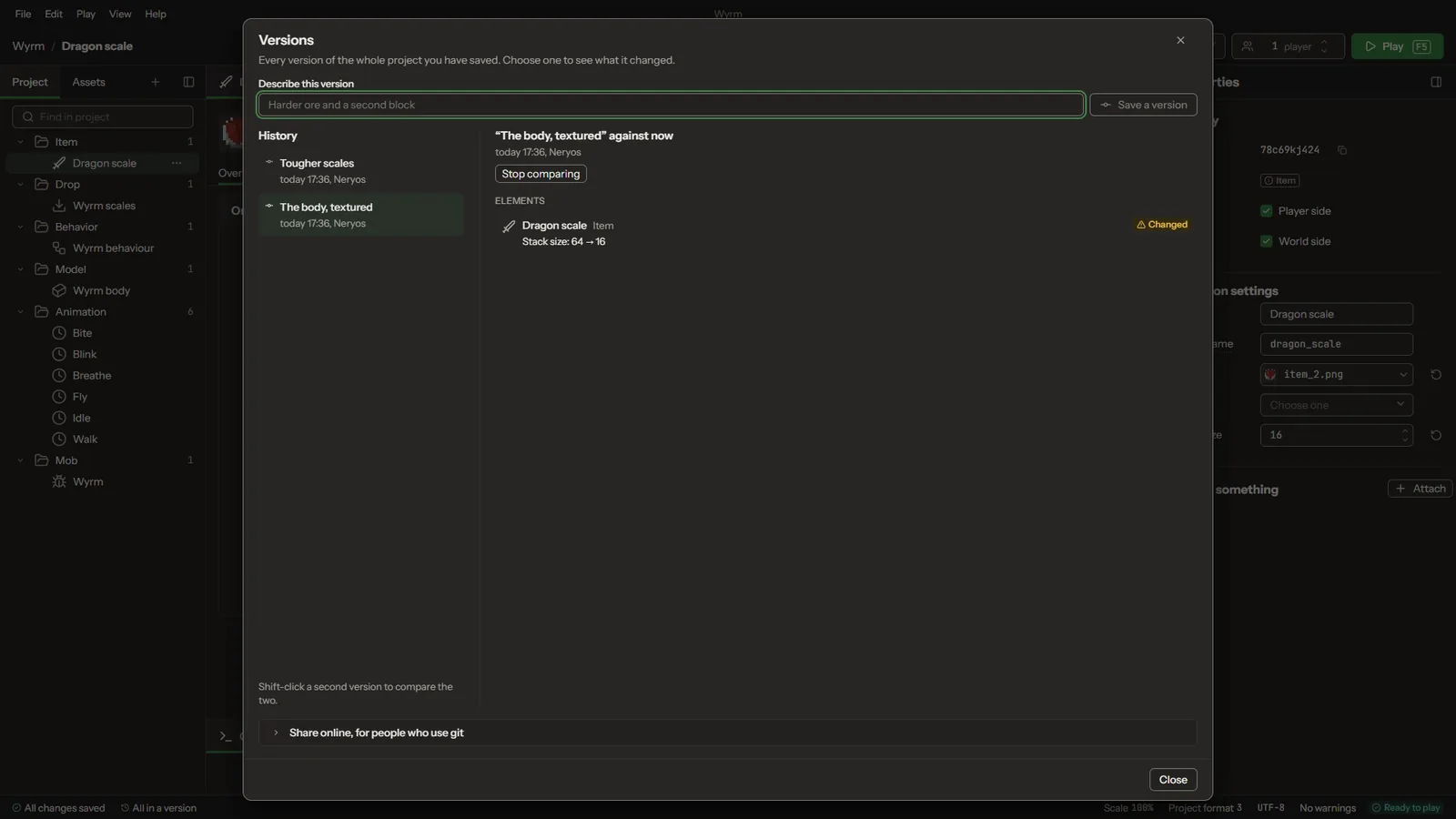
Save a version whenever you like, compare any two, and see what changed, element by element. Here a dragon scale's stack size went from 64 to 16.

The Versions window: a project's saved versions, one compared with the project as it is now
Saved versions, one compared with now
Where it stands

1.0.0 is coming soon.

There is no download yet. Watch the repository on GitHub to hear when it's out.

Read the questions people ask.

  • Minecraft Java Edition1.21.1, 1.21.11, 26.1.2, 26.2, 26.3
  • LoadersNeoForge and Fabric
  • First mod made with itGoat Apples
  • Release1.0.0, coming soon

NOT AN OFFICIAL MINECRAFT PRODUCT. NOT APPROVED BY OR ASSOCIATED WITH MOJANG OR MICROSOFT.